Virus & Malware Removal
Pop-ups, infections and Windows problems cleaned up safely.
Learn about Virus & Malware Removal →
Broken screen? Damaged hinge? Laptop not charging, overheating, running painfully slow or completely dead? Easy Computer Solutions provides local laptop diagnostics and repair with clear pricing, practical recommendations and free estimates.
When your laptop is cracked, slow, overheating, not charging or will not turn on, you need a repair shop that can diagnose the problem instead of simply replacing parts and hoping for the best. Easy Computer Solutions provides professional laptop repair in Chula Vista for home users, students, remote workers and local businesses. We service many popular Windows laptop brands, including HP, Dell, Lenovo, ASUS, Acer, MSI, Samsung and other major manufacturers.
Our goal is simple: determine what failed, explain your options clearly and help you decide whether the laptop is worth repairing. We can also help protect or recover your important documents, photos and other files when a hardware problem prevents the computer from starting normally.
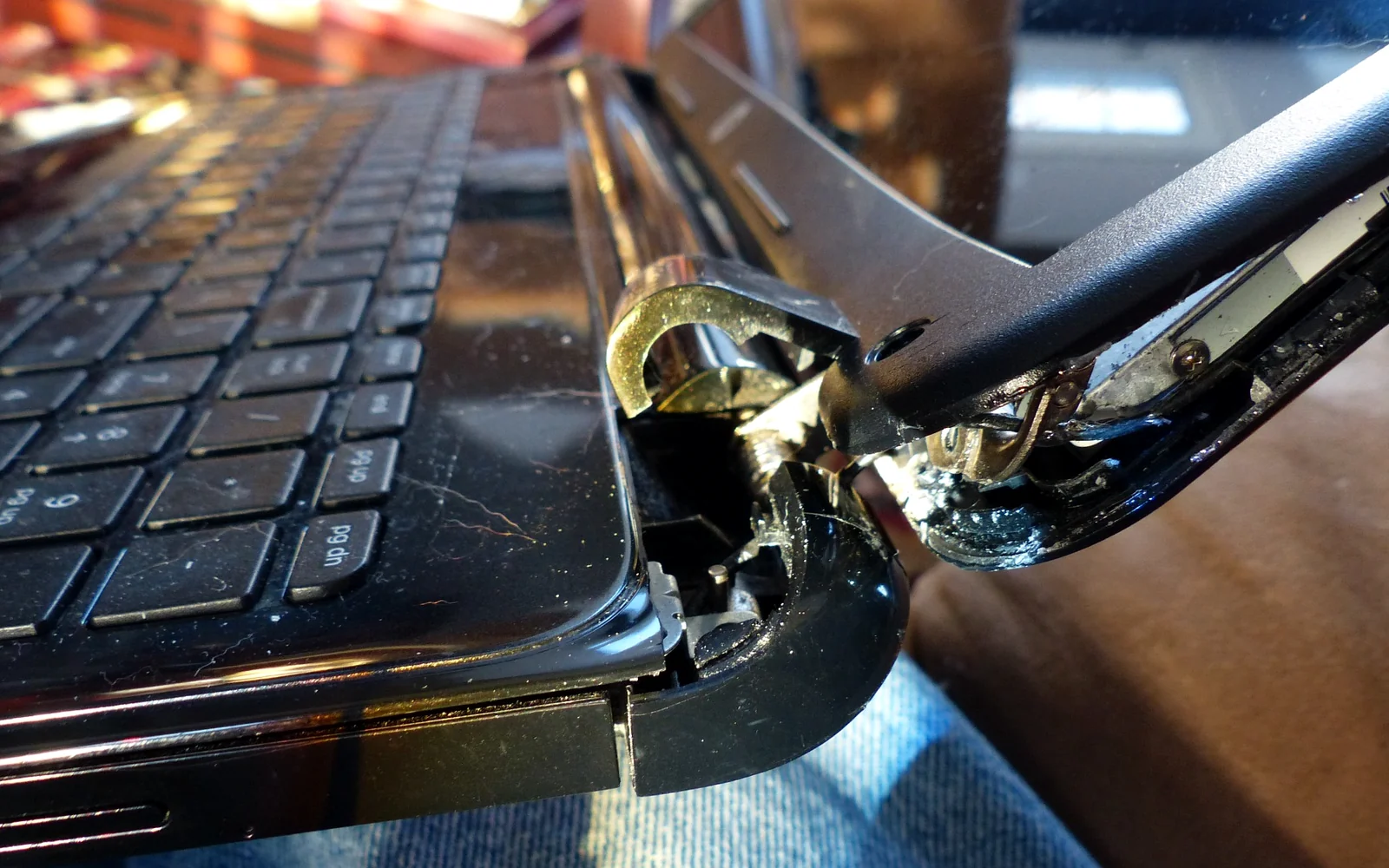
We start with the symptoms you are seeing and inspect the laptop for the most likely causes. A screen that stays black, for example, is not automatically a bad screen; a charging problem is not automatically a bad battery. Proper diagnosis can prevent unnecessary parts and expense.
After diagnosing the problem, we explain the recommended repair and expected cost before moving forward. If a repair does not make financial sense because of the laptop’s age, condition or parts cost, we will tell you rather than push an expensive repair.
A damaged laptop display can show cracks, colored lines, flickering, dark areas, distorted images or no picture at all. We can identify the correct replacement display and determine whether the problem is the LCD panel, display cable, hinges or another component. Because laptop screens come in different sizes, resolutions, connector types and refresh rates, matching the correct part matters.
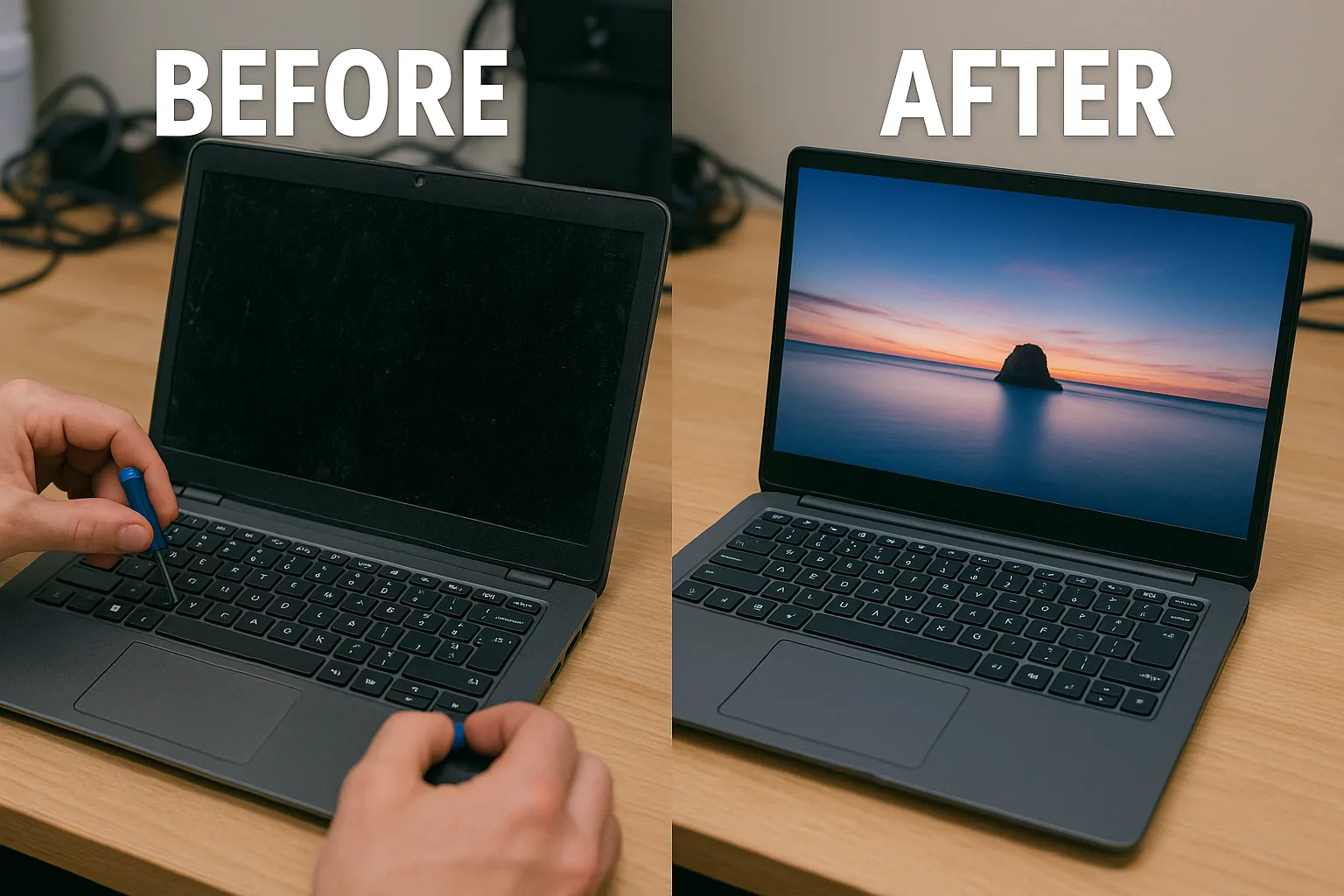
Loose or broken hinges should be addressed before they cause more damage. A failing hinge can pull apart the display housing, crack the palm rest, damage the bottom case or put stress on display and Wi-Fi cables. We inspect the hinge assembly and surrounding mounting points so the repair addresses the actual structural damage.
If your laptop will not charge or power on, the cause may involve the AC adapter, battery, DC charging jack, USB-C charging circuit, motherboard or another power component. We diagnose the power path before recommending a repair. Bring the charger with the laptop when possible, especially if the problem is intermittent.
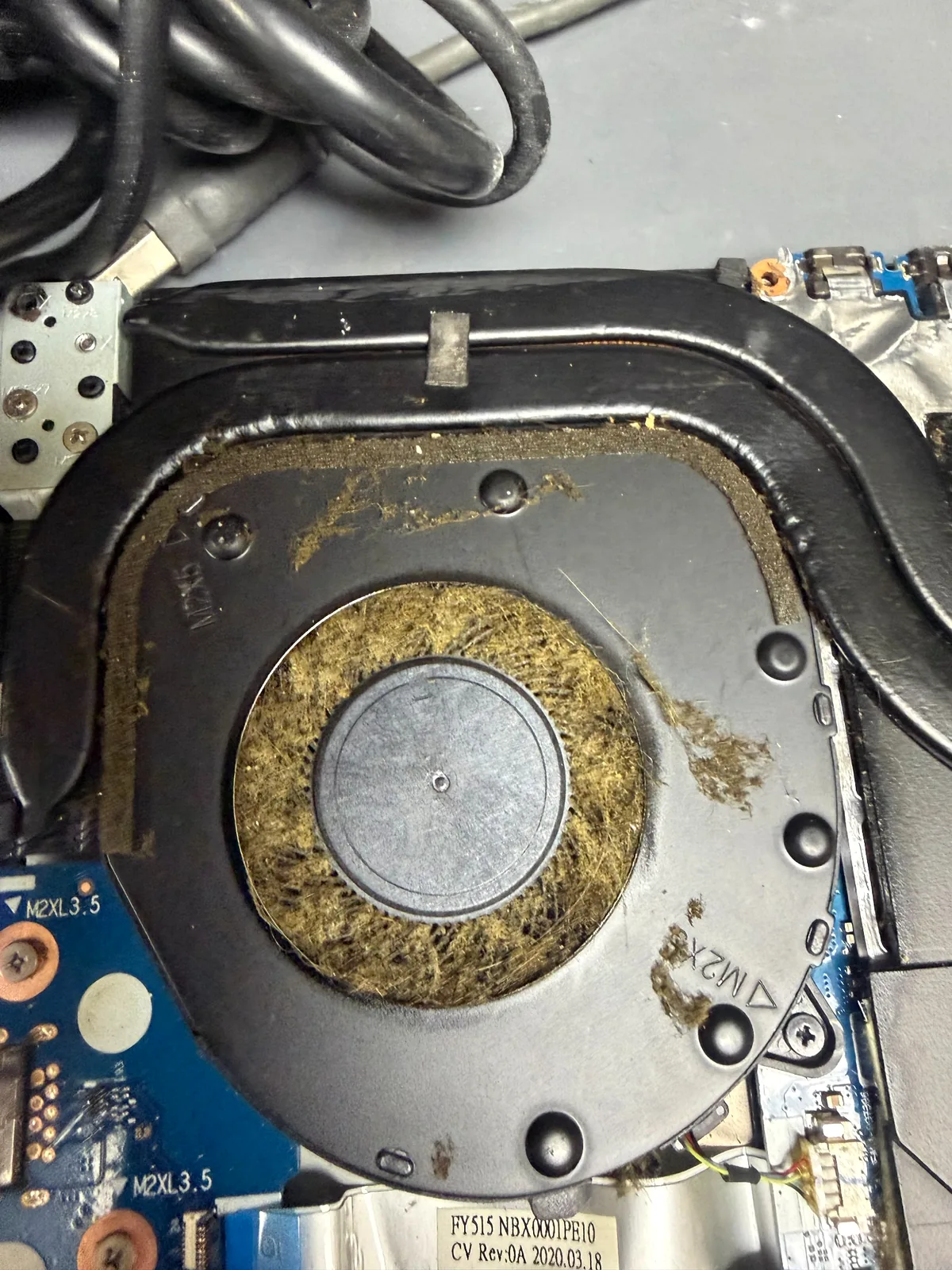
Dust buildup and cooling problems can make a laptop run hot, slow down under load, shut off unexpectedly or become unusually loud. We can inspect fans, vents and the cooling system and determine whether cleaning or additional thermal service is appropriate. Continuing to use a severely overheating laptop can turn a manageable cooling problem into a more expensive failure.
Not every slow laptop needs to be replaced. A failing hard drive, overloaded Windows installation or older mechanical drive can make an otherwise usable computer painfully slow. We can diagnose performance problems, discuss SSD upgrades and help with Windows repair or reinstallation when appropriate. If the laptop will not boot and your files matter, ask about our data recovery services in Chula Vista before attempting a reset or reinstall.
Often, yes. The answer depends on the laptop’s age, specifications, physical condition and the cost of the failed component. We diagnose the problem and give you the information needed to compare repair cost with replacement.
Pricing depends on the problem and the exact laptop model. Screen panels, hinges, keyboards, batteries and charging components vary significantly between models. Contact us with the model number and symptoms for a free estimate, or bring the laptop in for diagnosis.
Yes. A no-power condition can have several causes, including a charger, battery, charging port, internal power circuit or motherboard issue. We diagnose the cause before recommending parts.
In many cases, files can still be transferred or recovered even when Windows will not start. Recovery depends on the condition of the storage device. If the data is important, avoid repeated resets or reinstalls until the drive has been evaluated.
Yes. We can diagnose many gaming-laptop problems such as overheating, crashes, fan issues, storage problems, damaged screens, keyboards and power-related failures. For desktop gaming systems, see our gaming PC repair service.
Call 619-806-2876 before visiting if you would like to confirm availability or discuss your laptop model and symptoms. You can also request a free estimate online.
Easy Computer Solutions helps customers from Chula Vista, Eastlake, Otay Ranch, Bonita, National City, Imperial Beach and nearby San Diego communities.